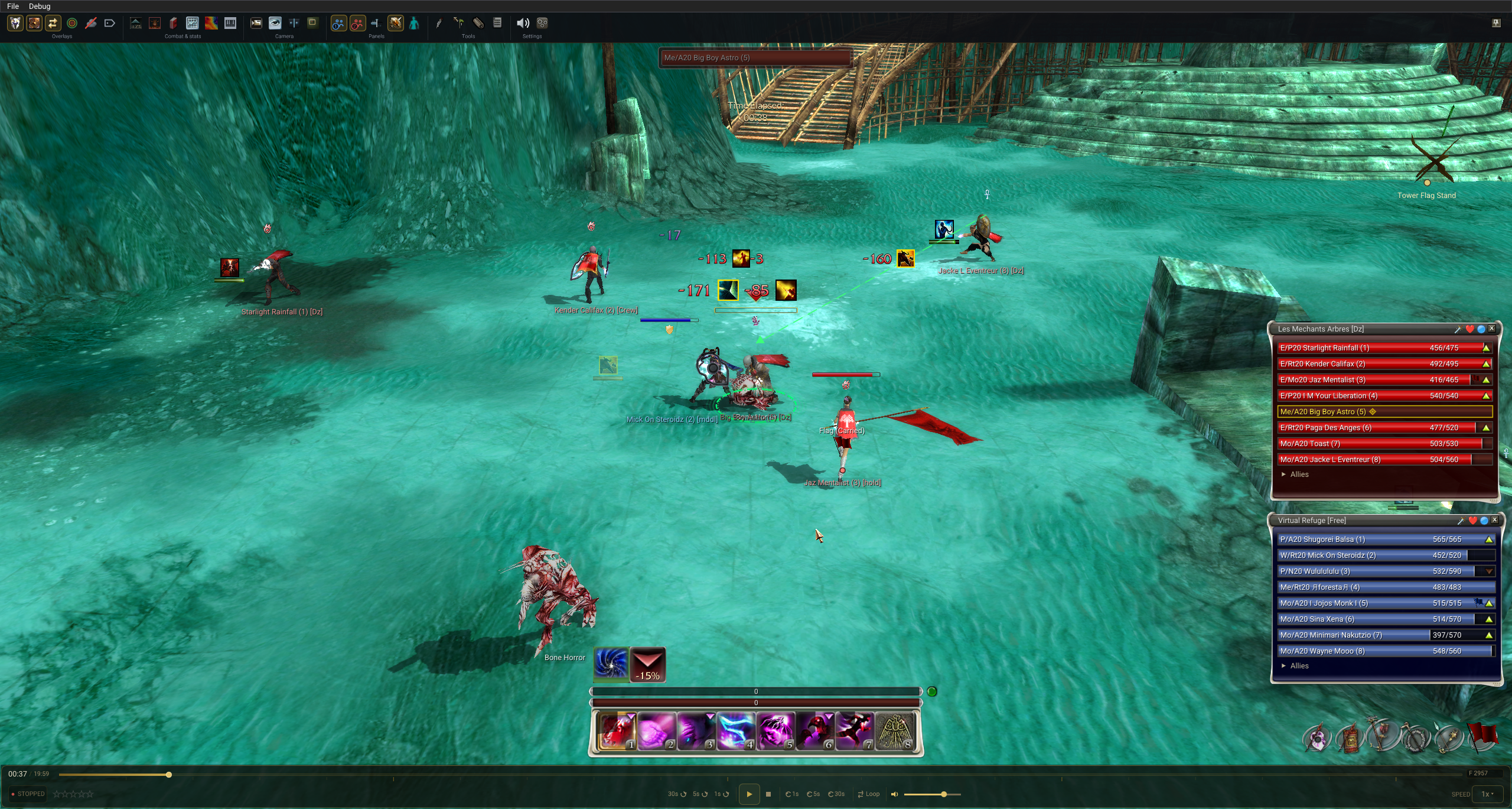
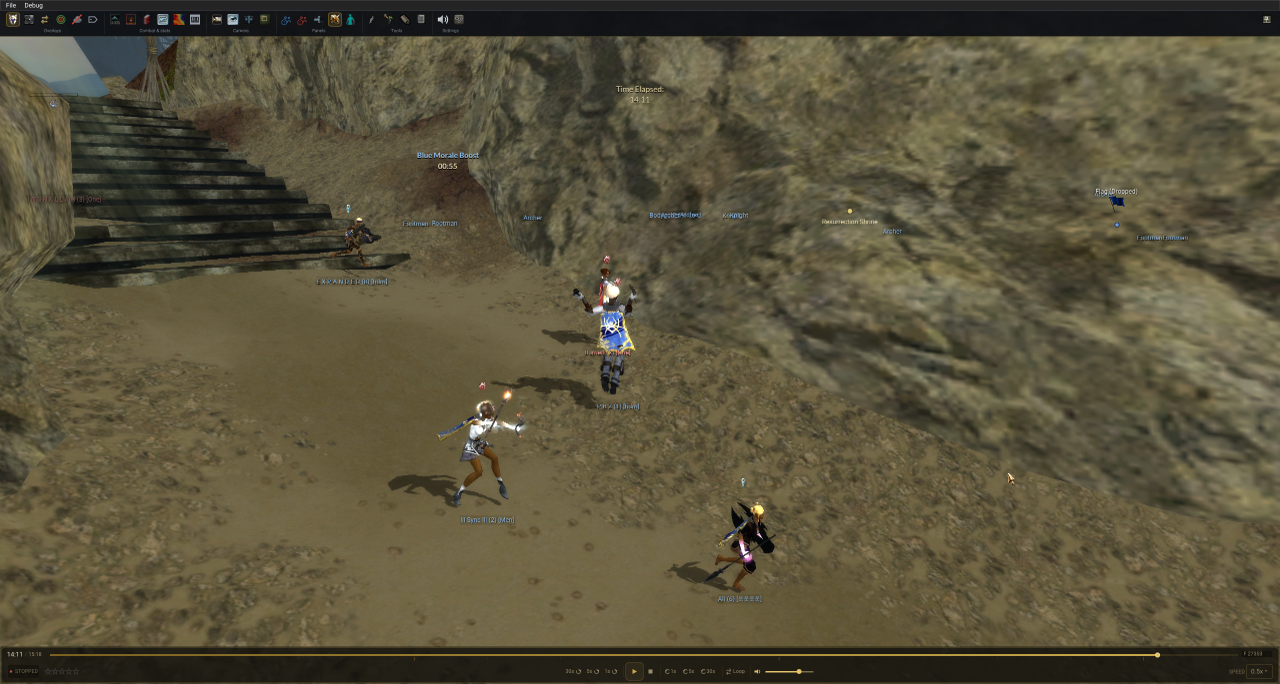
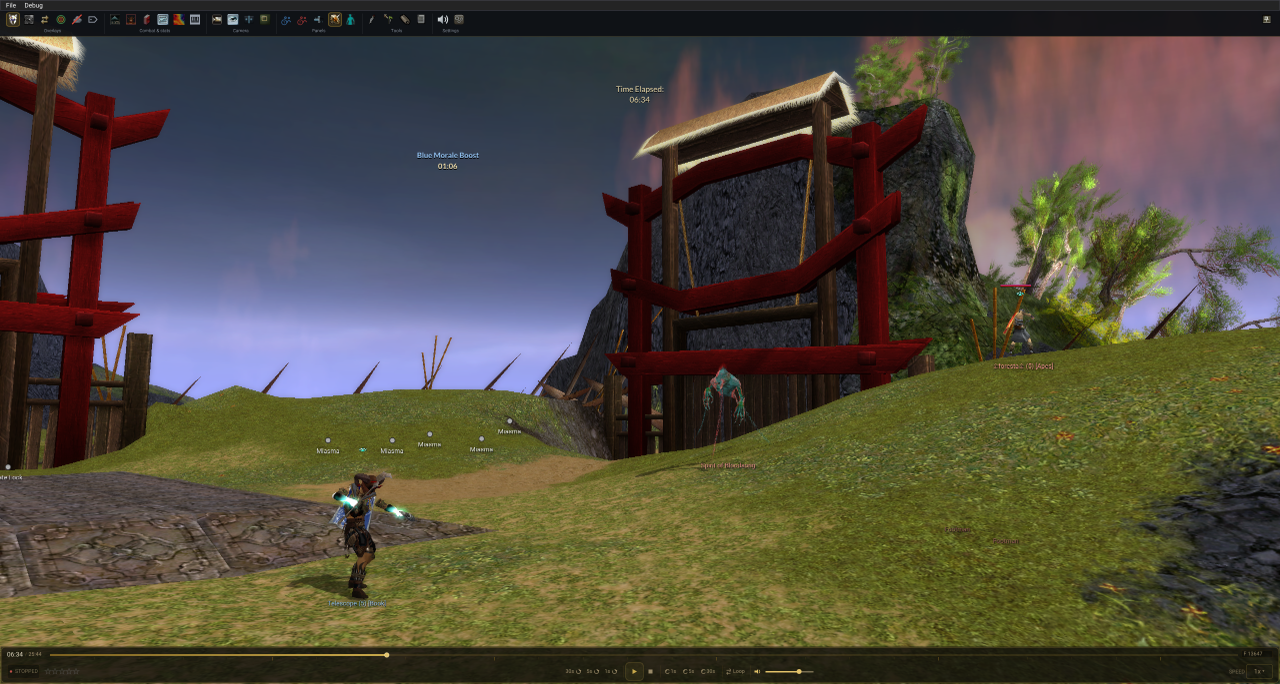
Update 3.0.0 adds recorded character appearances, a Wardrobe for previewing armour and saving looks, and an updated replay HUD. We also reviewed and significantly improved attribute calculations and damage attribution, which links the damage numbers above players to the skills that caused them. Other improvements cover animation timing, map lighting, combat information and replay controls.
Recording compatibility: Character appearances require recordings made from 20 September 2026 onward. The effect bar requires recordings from 7 October 2026. Older recordings continue to use profession models and benefit from the other improvements.
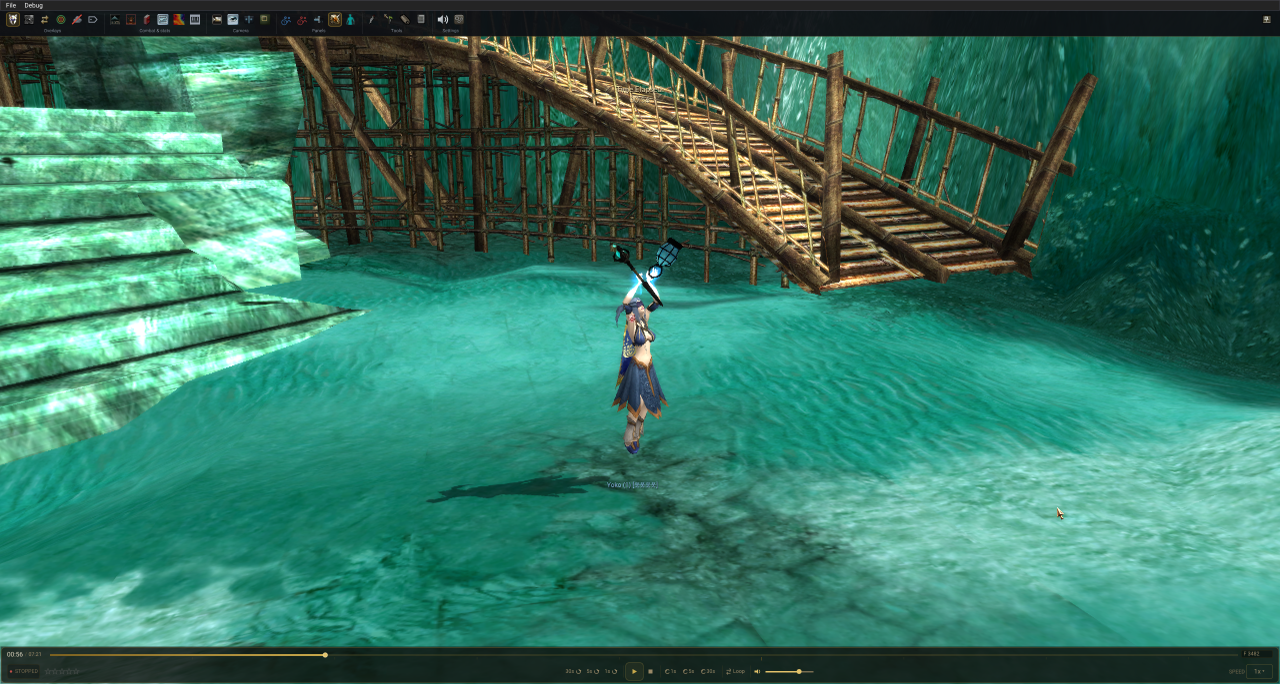
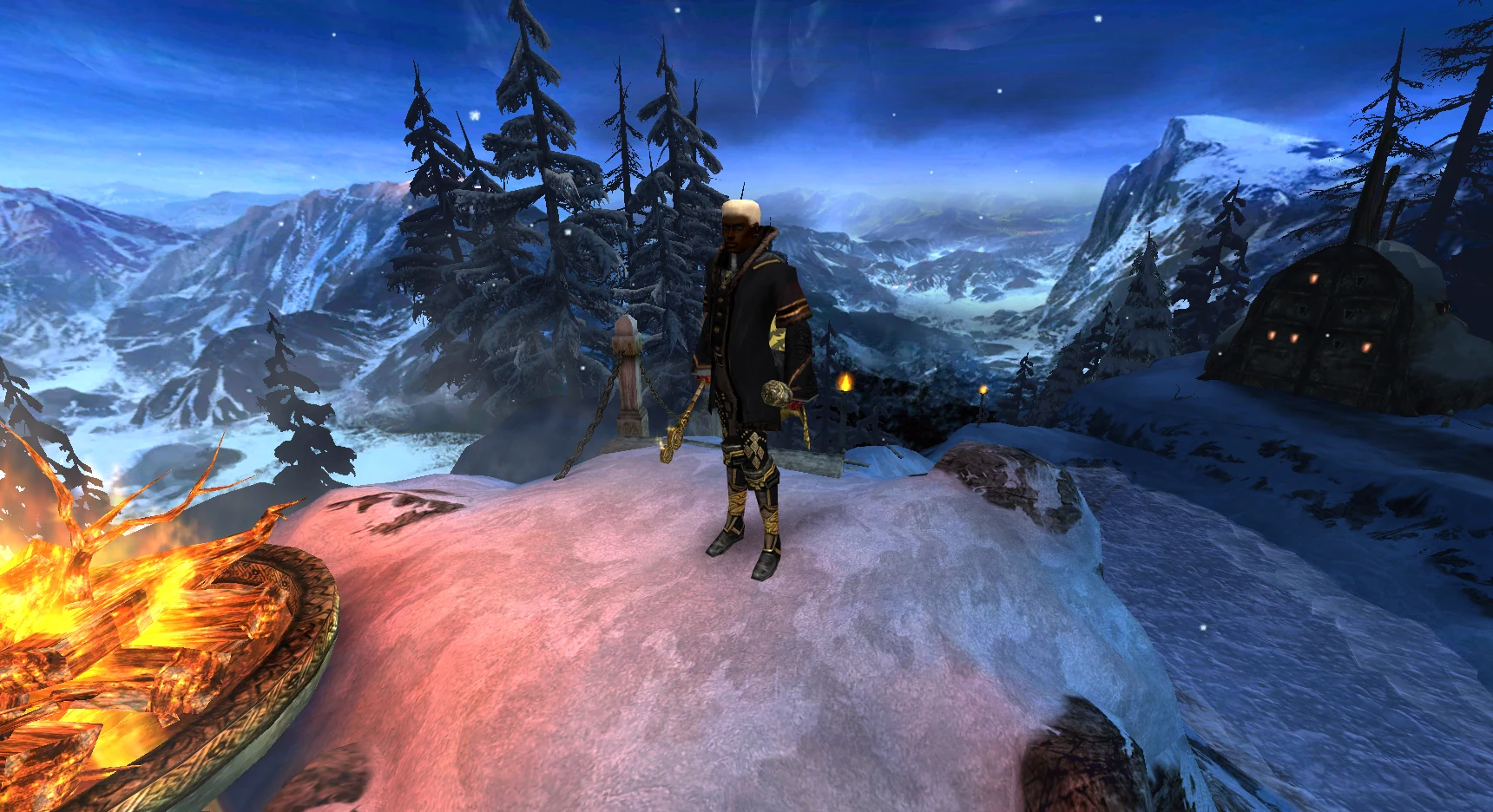
Recorded character appearance, casting effects and ground shadows in the replay. View full size
Major features
Recorded Character Appearances
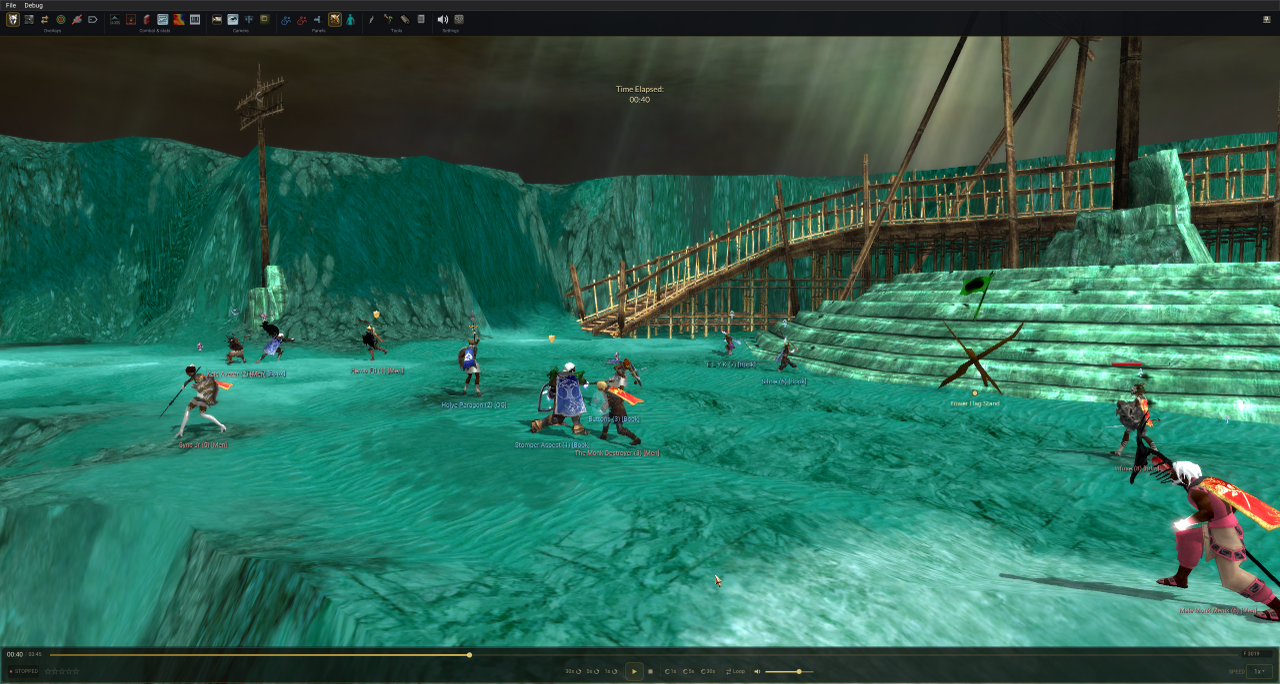
Added support for recorded character appearances. Replays now show each player's face, hairstyle, hair colour, skin colour, height, armour, dyes and guild cape.
Weapons display their skins, dyes, glows and particle effects. Guild capes use the guild's colours and cloth animation.
Added animated effects for Elementalist headpieces.
Recorded characters in combat, with their armour, weapons and guild capes. View full size
Character Panel Portrait
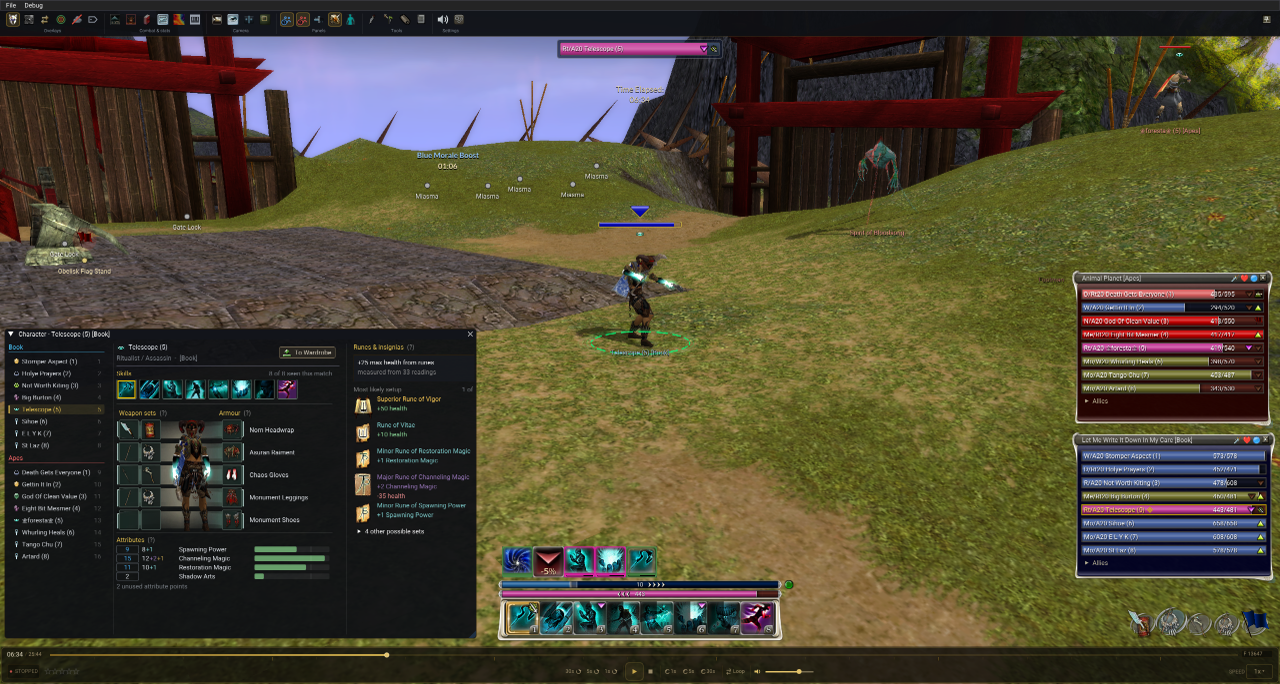
Added a 3D character preview to the character panel, showing the player's appearance and active weapon in its combat stance. You can open the character in the Wardrobe directly from this panel.
The character panel alongside the followed player's HUD and both teams' party windows. View full size
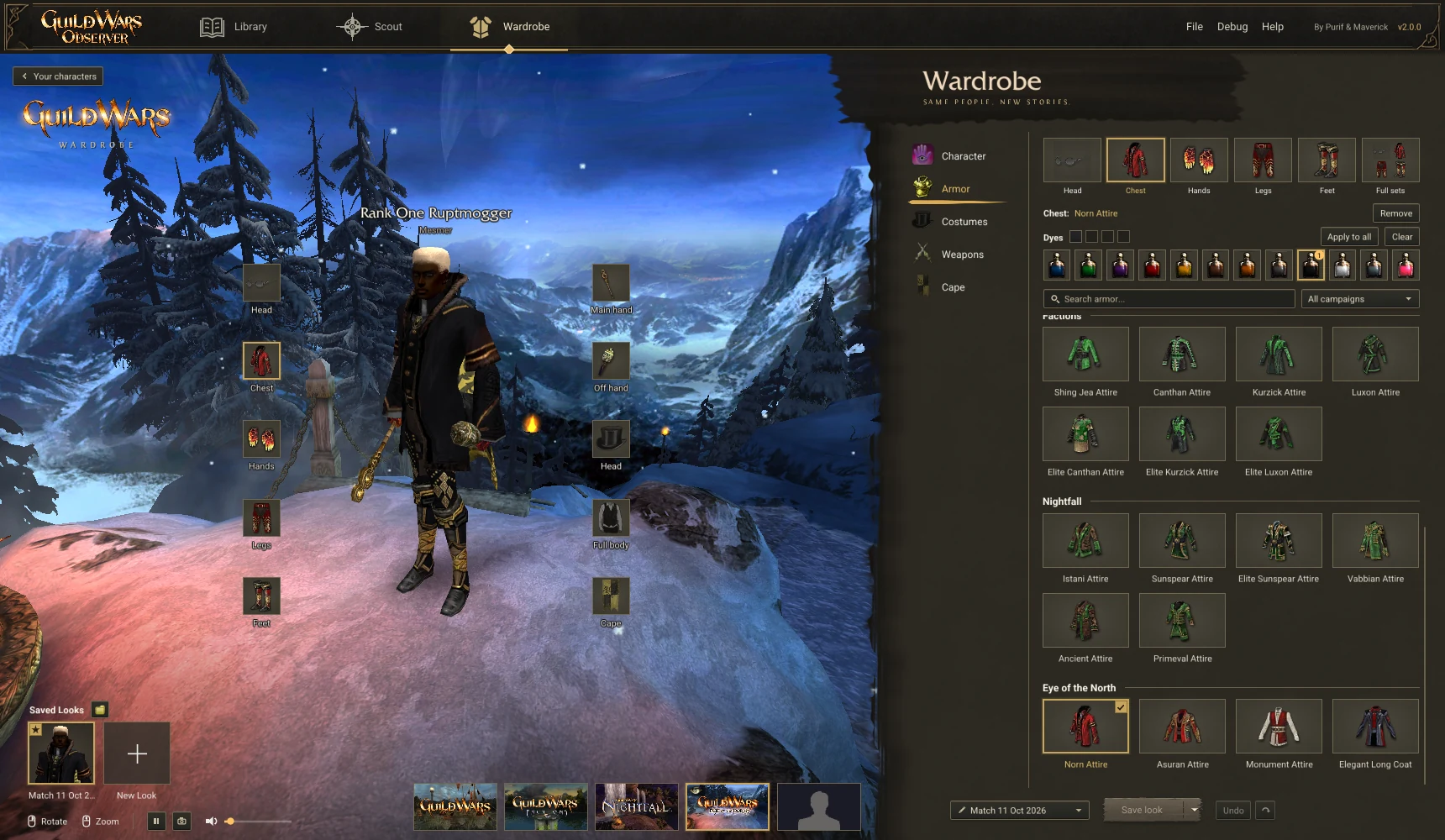
The Wardrobe
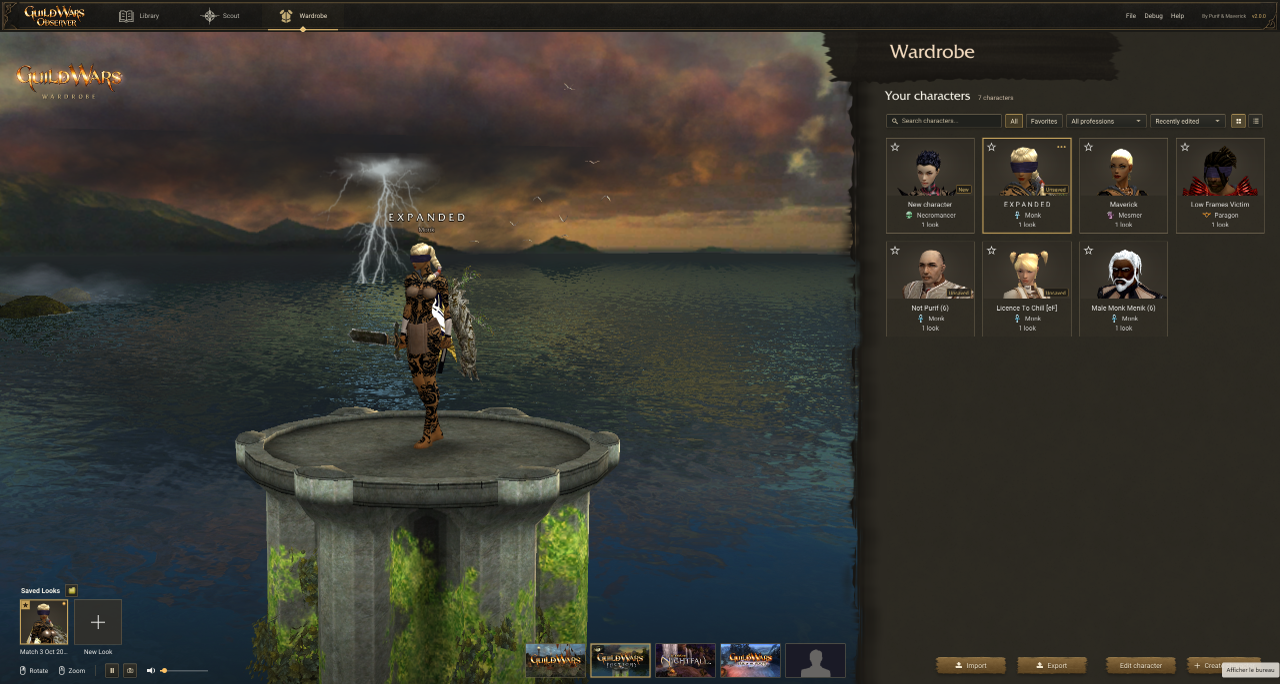
Added the Wardrobe, where you can preview armour, dyes, weapons and character appearances without owning the items in game. Open it from the top navigation bar or send a recorded character to it from a replay.
The Wardrobe character library, with a selected character and saved looks. View full size
The Wardrobe includes the following options:
Create a character. All ten professions, both sexes, every face, hairstyle, hair colour and skin colour the game offers.
Armour preview. Browse armour for all professions and choose a dye for each slot.
Costumes and festival hats. All are included.
Weapons with their glows, particles and animations, dyes, and favourites marked with a star.
Guild cape designer. Choose an emblem, colours and trim, or generate a random combination.
Search as you type across armour and weapons, and arrow key navigation through every gallery.
Five scenes: Eye of the North, Nightfall, Factions and Prophecies, each with its own music and volume control, or an empty stage.
Save and share looks. Save looks in a folder you choose in Settings. Export a look as a .gwlook file and send it to a friend, who can import it into their Wardrobe. You can import their looks in the same way.
Photo mode P hides the interface and saves the character as a PNG.
The armour gallery with a dye selector for each slot.Photo mode: no interface, just the character and the scene, saved as a PNG.
Replay interface
The Followed Player's HUD
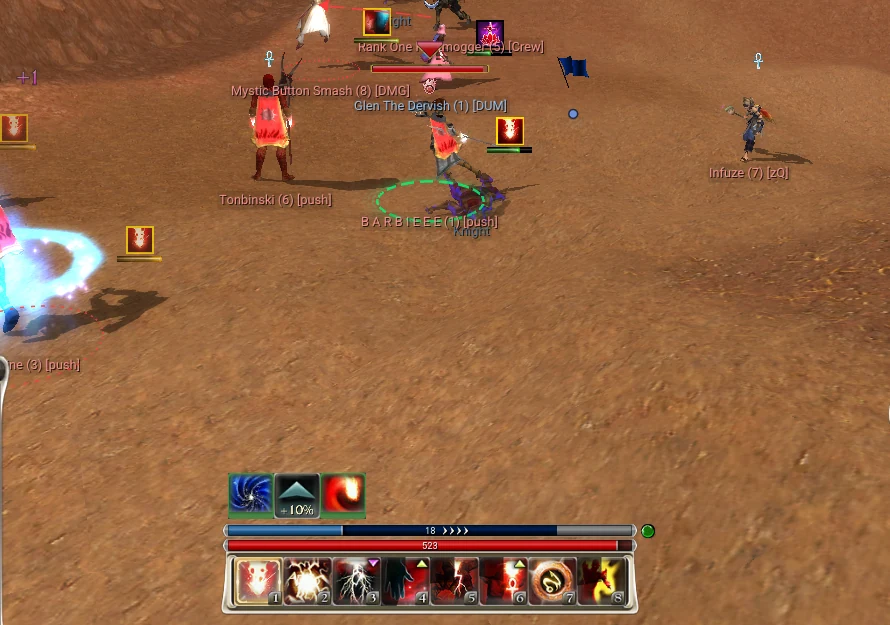
Updated the followed player's HUD using Guild Wars textures and layout, with skill, health, energy and effect bars.
The energy and effect bars are calculated estimates and may contain errors. They represent our best guess from the available match data. We aim to make this information as accurate and useful as possible, but it may differ from what the player saw in game.
Skill bar. Updated recharge, disabled and spent skill states. Disable effects from skills such as Power Block, Power Lock, Complicate, Distracting Shot and Diversion display a red indicator and identify their source. Skill tooltips show the calculated energy cost alongside the listed cost.
Health bar in the game's frame, recoloured by poison, bleeding and degeneration hexes, with Deep Wound and the regeneration and degeneration arrows.
Energy bar. Added an energy estimate with a confidence indicator, detailed below.
Effect bar. The player's enchantments, hexes, conditions, shouts, chants, echoes, stances and spirits, grouped and framed like the game's effect monitor, with duration bars, the arrival pop and the blink before an effect ends. When an effect is removed, the icon of the skill that removed it appears over it for a moment. The flux, morale and shrine bonuses sit at the front.
Following B A R B I E E E: effect bar, energy bar with its confidence lamp, health bar and skill bar, stacked as in game.
Energy Bar
Added an estimated energy bar. Energy is calculated from the start of the match using skill costs, natural and skill-based regeneration, and recorded gains and drains. Supported skills include Energy Surge, Mind Wrack, Shame, Purge Signet, Signet of Recall and many more. Overcast is shown in grey.
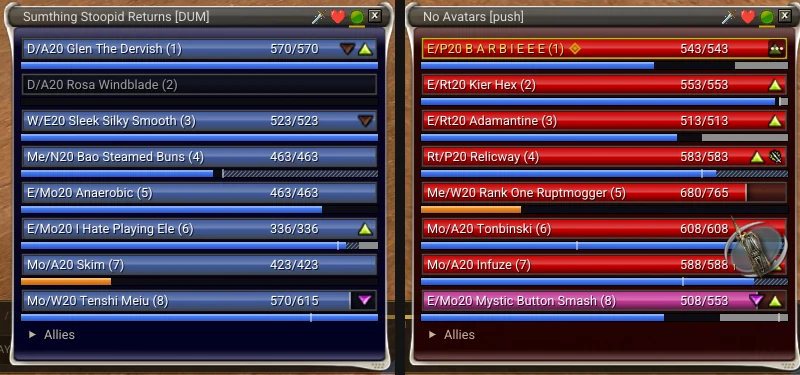
A green, orange or red indicator shows the confidence of the energy estimate. A shaded band shows the estimated range; hover over the indicator for details. Party windows also display an energy strip beneath each player.
Cast Bars
Updated cast bar colours to show the result of a cast:
Yellow when the cast completes.
Purple when the cast is interrupted.
Red when the cast is cancelled.
Fixed cancelled casts briefly filling the bar before resetting. The skill icon now fades out with the cast bar.
Party Windows
Updated party windows with Guild Wars health bars, window frames and team colour gradients. Added an energy strip beneath each row, which can be toggled on or off.
Updated party windows with health bars and energy estimates.
Overhead Skill Icons and Numbers
We spent a lot of time improving how damage and healing are linked to the skills that caused them, and how those numbers appear during combat.
Updated damage and healing numbers to match the movement, timing and alternating placement used in Guild Wars, with one number per hit. Improved the accuracy of the skill icons shown alongside them. Ranged attack skill icons now appear on impact, life stealing appears as healing, and map hazards such as Isle of Jade coral and the Imperial Isle acid trap have their own icons.
Added purple overhead numbers for energy gains and drains.
Overhead combat numbers with the associated skill icons. View full size
Models & animation
Animation Timing
Updated animation timing using playback data from Guild Wars.
Movement. Corrected running animations that played about 1.5× too slowly. Characters now switch between walking, running and fast running based on their movement speed.
Spell casting. Corrected casting animations that played 2 to 6× too quickly. Animations now use their in-game timing and can continue after the cast completes.
Attacks and combat stance. Corrected attack skill animations that played about 3× too slowly, overly fast bow and Frenzy attacks, and stretched stance animations between hits.
Attack skills. Skills such as Hammer Bash now use their specific animation instead of a regular attack animation.
Movement and combat poses during a replay. View full size
Ritualist Weapon Spells
Ritualist weapon spells now display the corresponding spirit weapon in place of the player's equipped weapon.
Spirits, Rituals and Minions
Added names, range rings and models for all 25 nature rituals. Corrected missing names and incorrect ranges for Winter, Winnowing, Conflagration, Greater Conflagration, Symbiosis, Frozen Soil, Pestilence, Brambles, Quicksand, Roaring Winds and Equinox. Added the three remaining Necromancer minion models.
Light, shadow & world
Map Lighting and Shadows
Updated maps to use Guild Wars lighting, fog and haze, with optional bloom. Added ground shadows for characters and separate character lighting to keep armour and dyes visible from different camera angles. These settings can be adjusted in Preferences.
Map lighting and sky, with a recorded Ritualist and spirit in the scene. View full size
Team Glow on NPCs, Spirits and Pets
Added team-coloured outlines to guild lords, guards, pets, spirits and minions.
Animated Particle Effects: “I am the Boss!”
Added support for animated particle effects. The first feature using this support is the September flux, “I am the Boss!”, with its beam, ring and sound effects. The effect is triggered by recorded match data.
The September flux, “I am the Boss!”, with animated particle effects. View full size
Flags in Hand
The flag now shows its cloth and team colour while a player carries it.
Combat & stats
Team Morale Graph
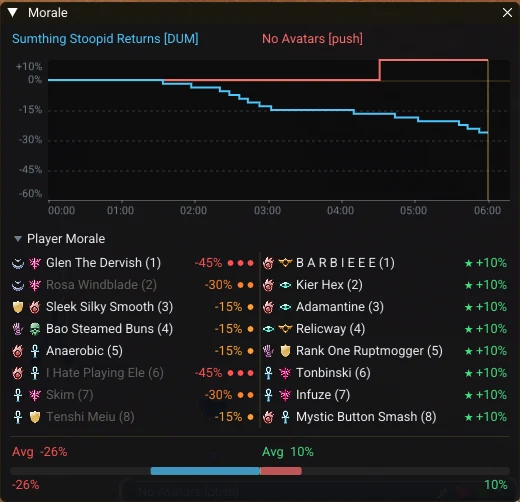
Added a team morale graph to the morale panel, showing both teams up to the current replay position. Click or drag on the graph to seek through the match. Morale calculations now check recorded maximum health to exclude deaths and kills that did not affect morale.
Both teams' morale over the match. Click to seek.
Quality of life
Replay Speed Hotkeys Numpad + / −
Change the playback speed from the keyboard. The keys can be rebound.
Skill Lasers by Team
Skill lasers can now be coloured by the caster's team, instead of ally and enemy.
Other Changes
Updated dead player and NPC name labels to display at 75% of their team colour to improve readability.
Added overhead health bars to players in the 3D scene.
Added a team colour indicator beside guild names in the library.
Known equipment is now shown from the start of the replay.
Updated skill tooltips to account for Weakness, Celerity and Signet of Stamina.
Updated the application header and added the Eye of Janthir icon.
Known limitations
Some replay information is unavailable in observer recordings or is not yet modelled:
Adrenaline is not recorded, so adrenaline skills always appear charged.
Energy values are estimates. The confidence indicator shows the uncertainty of each estimate.
Bug fixes
Fixed reversed team colours on flags, morale displays, lord damage, shrines and loading cards.
Fixed vine bridges appearing partially built before a seed was dropped, and seeds growing the wrong bridge.
Fixed Korean, Japanese and Chinese characters not displaying correctly in replay player tags, party windows and guild names.
Fixed attribute estimates being lowered to accommodate Survivor Insignias. The solver now considers these insignias last.
Fixed untouched flags and bundles being assigned to the nearest player.
Fixed repair kits losing their association with the player carrying them.
Fixed unresolved vine seeds displaying as diamonds.
Fixed interrupted skills not receiving their full recharge and knocked-down casts failing to go on recharge.
Fixed deaths within five seconds of resurrection affecting morale. These deaths still count as kills.
Corrected historical skill IDs using casts recorded in the match.
Fixed incorrect summon levels.
Fixed guild capes overlapping map overlays in the library.