
Version 2.0.0 — Out Now

Replay Every Battle

Full 3D match replay, tactical overlays, and deep analytics for Guild Wars 1 GvG matches. Real health values, complete builds, and accurate skill behaviour on every recording.

3DMap Replay
100+Features
2500+Matches Recorded
Version 2.0.0 — out now

Our biggest update yet

The replay window is faster, clearer and far more informative, and the match library gained the filters you have been asking for.

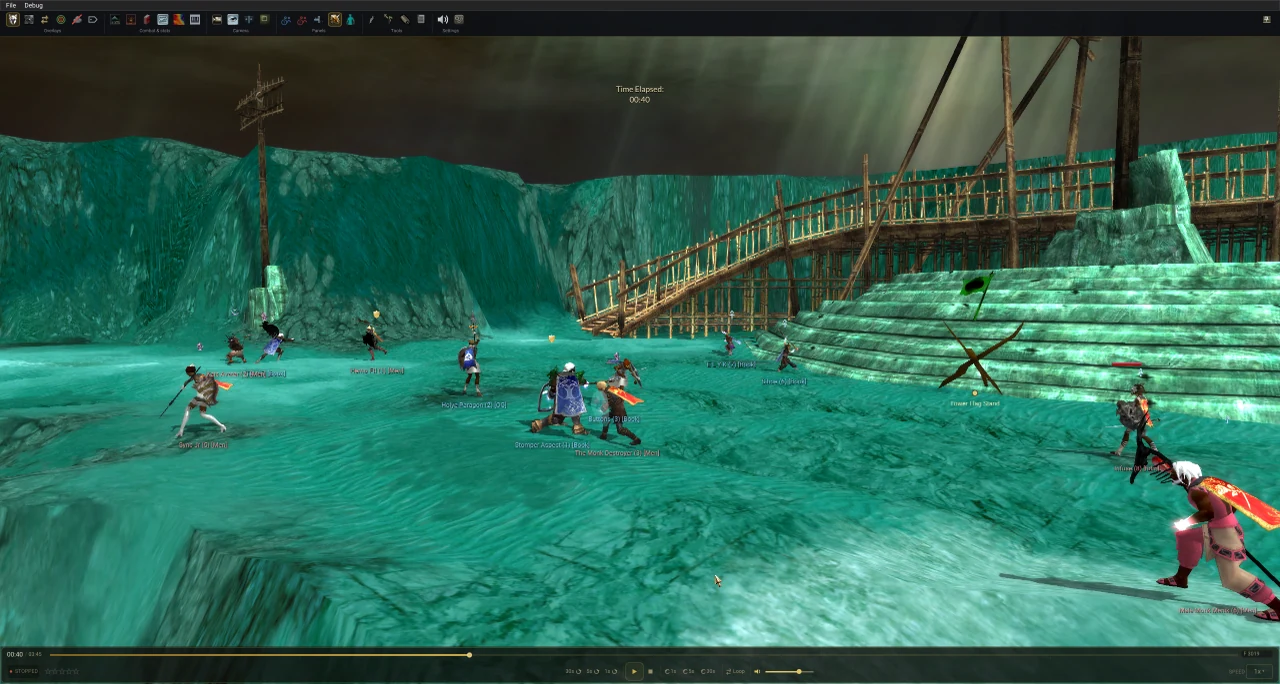
The GW Observer replay window in 2.0.0, with the ribbon toolbar pinned, absolute health on the party bars and weapons drawn on the models
Warrior Ranger Monk Necromancer Mesmer Elementalist Assassin Ritualist Paragon Dervish

What’s New in 2.0.0

You will see real health values, full builds, accurate skill behaviour, and a modernised interface that makes exploring matches genuinely enjoyable.

Recordings made from 29 August 2026 onward reliably include every feature listed below.

Older recordings still benefit from most of these improvements, but that date is where the full 2.0.0 feature set becomes guaranteed.

Character Panel

A complete view of a player’s build in one place. Skill bar, weapon sets and armour are read straight out of the recording and are exact. Attributes, runes and insignias are solved from combat evidence — and the panel is explicit about which is which.

The Character panel showing a player's skill bar, weapon sets, armour and solved attributes
Open several panels at once to compare players side by side.

Ribbon Toolbar

Every replay tool is grouped into a single toolbar at the top of the match replay window: Panels, Overlays, Combat & Stats, Tools, Camera and Settings. Pinnable and collapsible, with hotkeys shown on each button.

The ribbon toolbar expanded, showing all six groups with hotkey labels
All six groups, each button labelled with its hotkey.

Minimap U

A top-down map much like the in-game minimap, with helpful additions such as gate, lever and catapult indicators. Both teams, objective state and gate status at a glance.

The minimap panel showing both teams, flag stand, shrine state and gate indicators
Both teams, objective state and gate status at a glance.

New Filters & Scout

Find a match by the skills used in it, by guild or player, by occasion (mAT, AT, scrims) or by matchup. Scout aggregates an opponent guild’s builds, their win and loss record, and the builds that beat them.

The replay browser with the skill filter and matchup filter both active
Skill and matchup filters narrowing the library.

Absolute Health

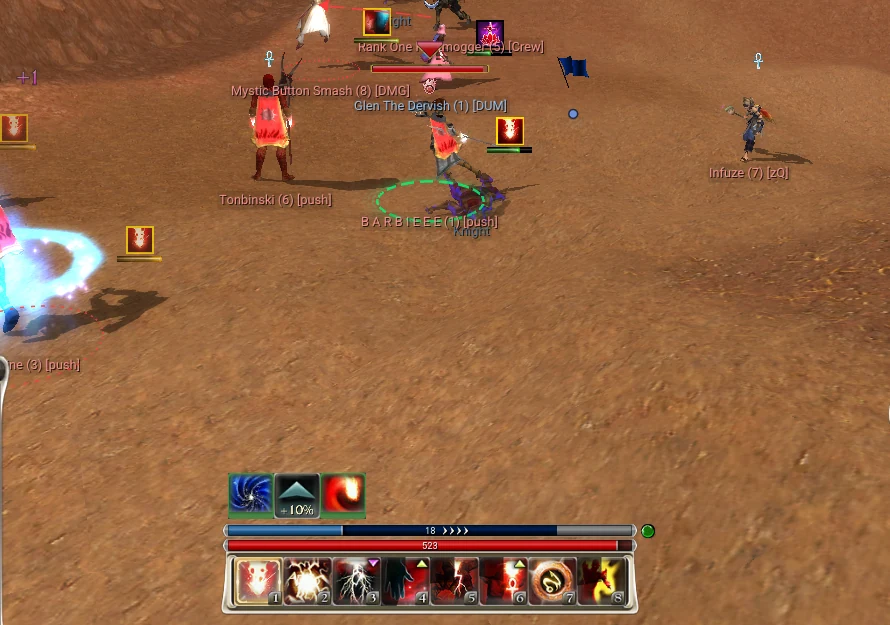
Party bars and player panels show real HP, rebuilt from every visible factor: base health, armour, weapon set, shrine bonuses, morale, Death Penalty and Deep Wound. Older recordings fall back to a safe estimate, marked with a tilde.

Weapon Sets HUD

The followed player’s weapon sets appear on the familiar in-game plates, with the active set highlighted and full item tooltips on hover. The actual weapon skins also appear on the character models in the 3D scene.

Sound FX Mixer

Skill sounds, cast cancels, ambient effects and music now play at the right time and in the right place in the 3D world, with a mixer to balance them.

Models & Animation

Players hold their actual 3D weapons. Dervish avatar forms swap the model and revert cleanly, Ritualist ashes place the right urn, and ranger pets and summoned minions render with their proper models, names and health.

Map Asset Animations

Doors, gates, levers, catapults, teleporters and vine bridges now animate straight from the recording. Flags, repair kits, vine seeds and ashes are tracked separately and no longer get mixed up with each other.

Patch-Aware Skill Data

Replays show skill values as they were on the day the match was played, matching the balance patch in force at the time.

Powerful Features

Everything you need to analyze Guild Wars GvG matches down to the finest detail.

Full 3D Map Replay

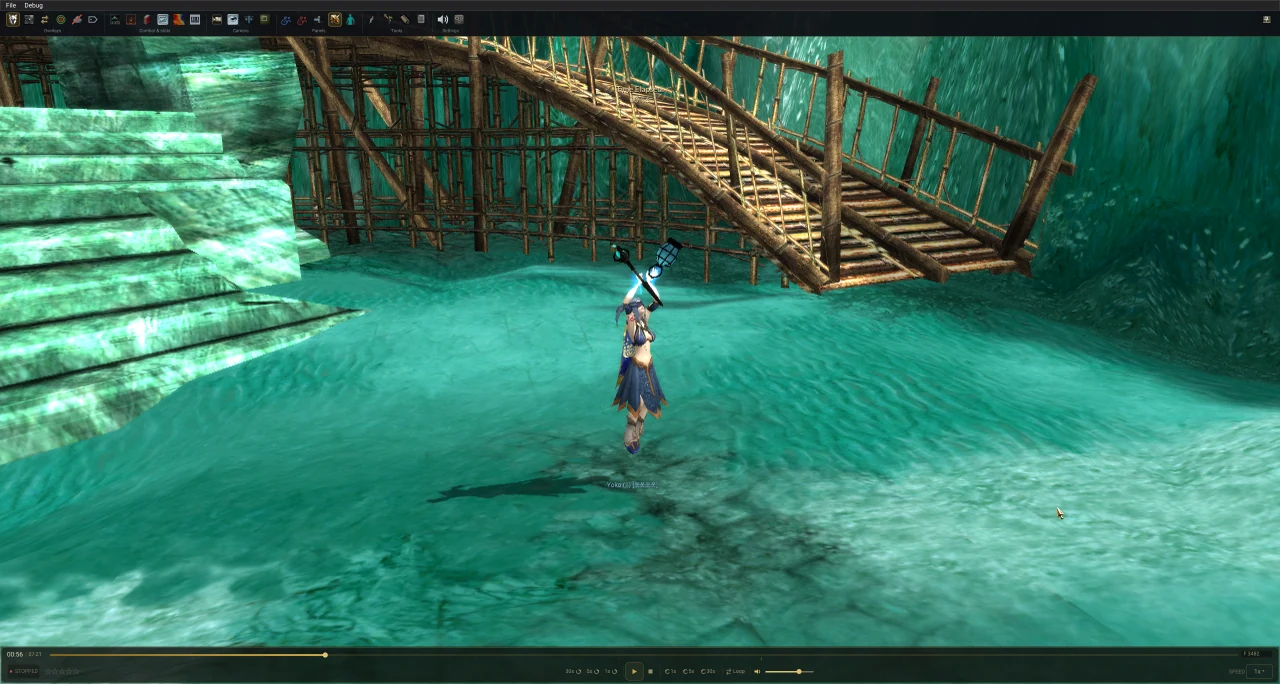
Replay GvG matches on fully rendered DirectX 11 maps with terrain, props, water, and sky. Navigate freely with orbit, pan, and zoom camera controls.

Click to preview

3D Agent Models

Players rendered as in-game NPC models matched by profession and gender, now holding their actual 3D weapon skins. Dervish avatar forms, Ritualist ashes, ranger pets and summoned minions all use their proper models. Full skeletal animation for movement, attacks, casting, and death.

Click to preview

Floating Combat Numbers

Damage and healing appear as floating numbers over agents, matching the in-game style with authentic font, color, and sizing. Includes a target display with health bar, cast bar, and buff tracking.

Split Camera

Secondary viewport that can auto-follow the action based on configurable triggers (spikes, deaths, flag pickups, splits) or lock onto any specific player.

Auto Camera

Intelligent camera that follows the action. Configurable triggers: death events, low HP detection, lord targeting, flag carriers, resurrections, and isolated players.

Range Rings & Spirit Ranges

Team-colored range rings around agents visualizing skill ranges. Toggle individual ring types, spirit ranges for monks and ritualists. Dashed, solid, or filled styles.

Click to preview

Skill Lasers

Line-of-sight laser beams visualize targeted skills in real-time. See exactly who is casting what on whom during intense team fights, with fade-out animations.

Click to preview

Fog of War

Switch perspective — view from Blue team, Red team, ghost mode, or a single player's vision. Understand positioning and vision from any side of the battle.

Click to preview

Deep Analytics

Go beyond replay with analytical tools that reveal the strategy behind every match.

Flag Analytics & Timeline

Track every flag event — spawns, pickups, drops, and captures — on a visual timeline. Analyze flag stand control, split pressure, and morale expiry timing.

Piano Roll / Skill Timeline

Skill usage timeline per agent, laid out like a music score. Zoomable from 5s to 60s windows. See exact cast sequences, timing gaps, and coordination across the team.

Click to preview

Heatmaps

Position density visualization with multiple palettes — Thermal, Inferno, Viridis, team-specific, and dominance mode. Per-team or per-player tracking with adjustable opacity.

Click to preview

Combat Log

Filterable log covering damage, heals, skills, interrupts, cancels, deaths, blocks, and basic attacks. Skill name autocomplete, player filter, and time sync on row click.

Damage / Heal Meter

Track cumulative damage and healing for every player and NPC up to the current timestamp. Shown as absolute values and team percentage on the party window.

Morale & Lord Damage

Track morale boosts with per-team timers (120s duration). Lord damage panel shows attacker breakdown, damage percentage, per-hit timeline, and phase counting.

Click to preview

Party Windows & Build Detection

Full team composition with profession icons, absolute health bars, and conditions — health rebuilt from armour, weapon set, shrine bonuses, morale, Death Penalty and Deep Wound. Open the Character Panel on any player for their skill bar, weapon sets, armour and solved attributes.

Click to preview

Replay Controls

Precise control over match playback with intuitive tools and configurable hotkeys.

Space
Play / PauseInstant toggle
← →
Seek ±5sStep through the match
0.25x — 8x
Speed ControlSlow-mo to fast-forward

Event Timeline T

Chronological event strip — kills, flag events, morale shifts, resurrections, and lord attacks displayed alongside the playback timeline.

Bookmarks

Mark key moments with custom titles for quick access. Jump between bookmarked events instantly during review.

Drawing Tools

Annotate the map with arrows, circles, freehand lines, and eraser. Color picker and undo support. Perfect for coaching and VOD review.

Top View V

Switch to orthographic top-down camera for tactical overview with smooth transition animation and full overlay visibility.

Notepad

Take notes during replay review without leaving the application. Keep observations alongside the match.

Ribbon Toolbar

Every replay tool grouped into one toolbar — Panels, Overlays, Combat & Stats, Tools, Camera and Settings. Pinnable, collapsible, and every button labelled with its hotkey.

Minimap U

Top-down map much like the in-game minimap, with gate, lever, and catapult indicators alongside both teams and the objective state.

Agent Follow

Click any agent to follow them. Smooth camera transition, adjustable follow distance via scroll wheel, full yaw/pitch control while tracking.

Additional Tools

Power features for data exploration and asset management.

Cloud Replay Browser

Browse, search, and filter match replays from cloud storage — by skills used, guild, player, occasion (mAT, AT, scrims) or matchup. Scout an opponent’s builds and record. Stream directly or cache locally for offline use, with background sync, star ratings, and match notes.

DAT Browser

Explore the Guild Wars .dat archive — textures, models, audio, and binary data. Filter by type, ID, hash, or name. Export assets as PNG, DDS, OBJ, MP3, JSON, and TIFF.

3D Model Viewer

Interactive model preview with orbital camera, animation playback, wireframe mode, bone visualization, skinning toggle, and vertex color coding by bone index.

Spatial Audio

3D positional audio powered by BASS, with a full sound FX mixer. Skill sounds, cast cancels, ambient effects and music play at the right time and in the right place in the 3D world.

Bundle & Object Tracking

Track flags, repair kits, and shrine items — who picked them up, who carried them, and when they were returned. Catapult lever state on Warrior's Isle included.

Rendering Options

MSAA 1x-16x, LOD quality, water level, sky controls, fog, shadows, lighting, and FPS limiting.

Setup Wizard

Guided first-run setup for DAT path, match folder, cloud mode, and font preferences.

Custom Hotkeys

Remap all overlay and camera controls. WASD movement with invertible mouse axes.

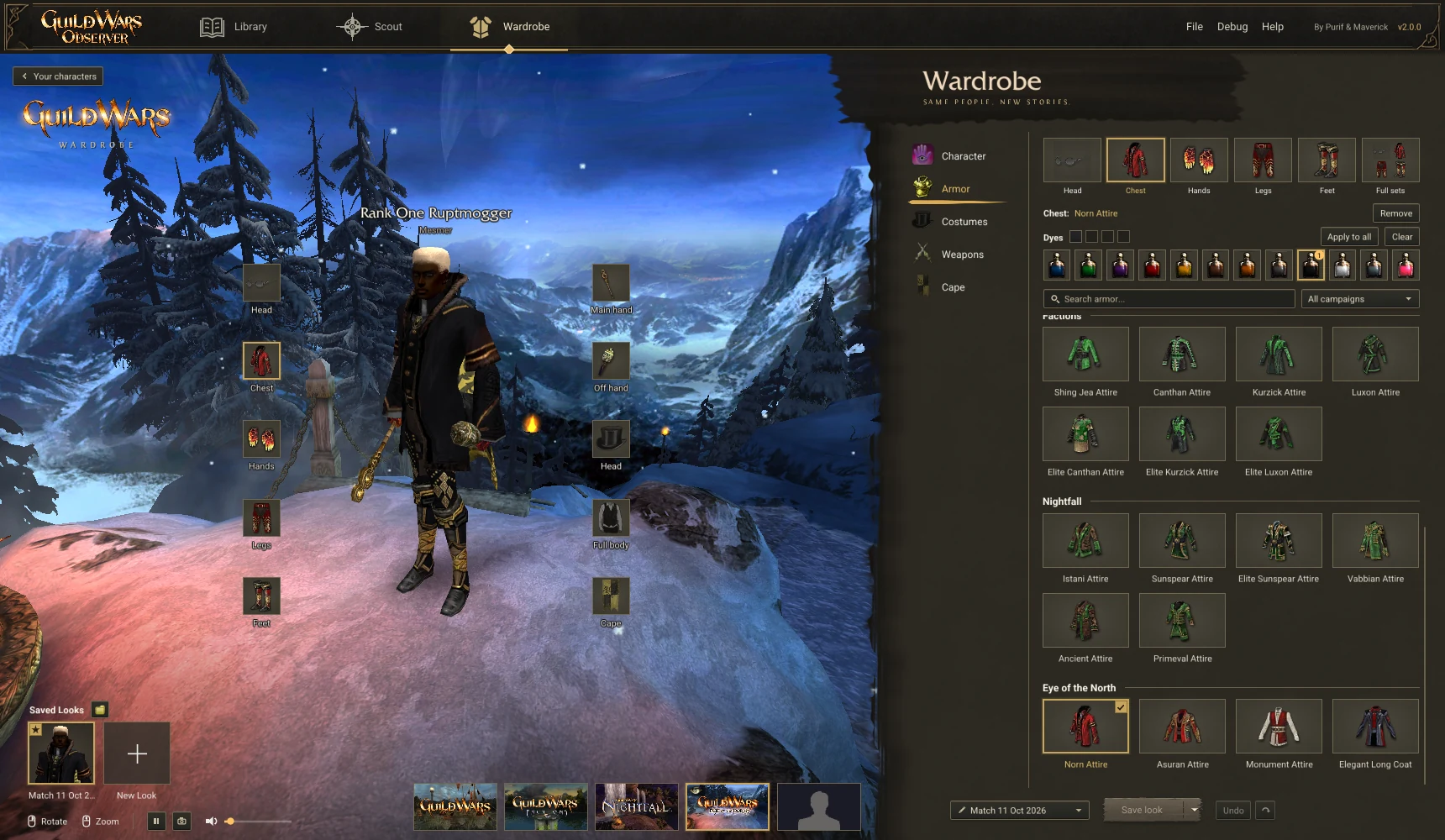
Guild Capes & Tags

Guild capes rendered from actual cape design data on the loading screen. Guild tags shown above agents on the 3D map.

Auto-Update

Automatic updates when a new release is available. Downloads the full release package so new assets and shaders are included.

Interface Preferences

FOV slider, sensitivity controls for pan, rotation, zoom, and keyboard movement. Persistent panel layouts and visibility toggles.

Map Objects & Gadgets

Doors, gates, levers, catapults, teleporters and vine bridges animate straight from the recording. Flagstands, obelisks and more, expanding to all maps progressively.

GvG Maps

All Guild Wars guild hall maps rendered in full 3D.

Update Changelog

Latest releases and updates pulled directly from GitHub.

Loading changelog...

Ready to Analyze?

Download GW Observer 2.0.0 and start reviewing GvG matches with full 3D replay, tactical overlays, and advanced analytics.

Windows 10 / 11 DirectX 11 Free